Kanopy app updates you should know about!
Kanopy Platform Updates
Kanopy’s product team has been focused on improvements that make the platform more accessible, more intuitive, and more useful for the patrons you serve. Here’s a look at what’s new across the mobile apps and website.
Picture-in-Picture on Mobile
Picture-in-Picture (PiP) is now available on both iOS and Android. With PiP, patrons can minimize the Kanopy video player and continue watching while they use other apps or navigate elsewhere on their device, without losing their place or interrupting playback.
This is especially useful for patrons who like to take notes while watching a documentary or a lecture, reference something on their phone mid-video, or simply multitask. The floating player can be repositioned anywhere on the screen and patrons can return to full-screen playback whenever they’re ready.
Improved Search Filters for Audio and Subtitles
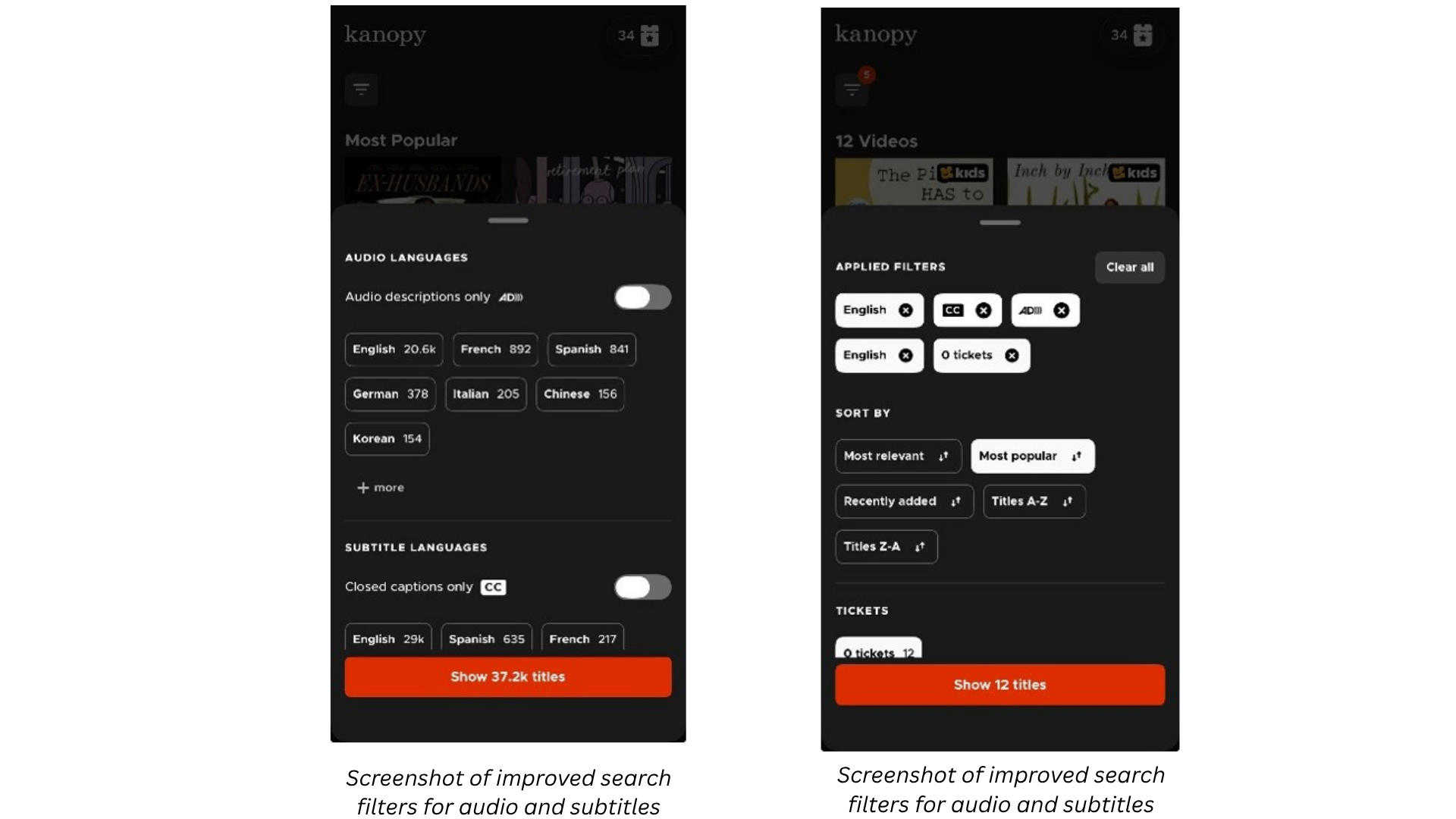
Finding content in the right language, with the right audio tracks, subtitles, or accessibility features, just got more reliable. We’ve overhauled the language filters in search across both the mobile apps and website, updating the back end to ensure accurate metadata is surfacing consistently and cleaning up filter labels and organization on the front end.
New with this update is an ‘Audio descriptions only’ toggle and improved accuracy for the ‘Closed captions only’ toggle. Patrons can now combine language filters with these toggles to zero in on exactly what they need, for example a film with Spanish audio and English subtitles, a documentary with audio descriptions in French, or any other combination. For patrons who are deaf or hard of hearing, have low vision, or are learning a new language, these filters make a meaningful difference in what they can find and access.
My Lists Redesign on Mobile
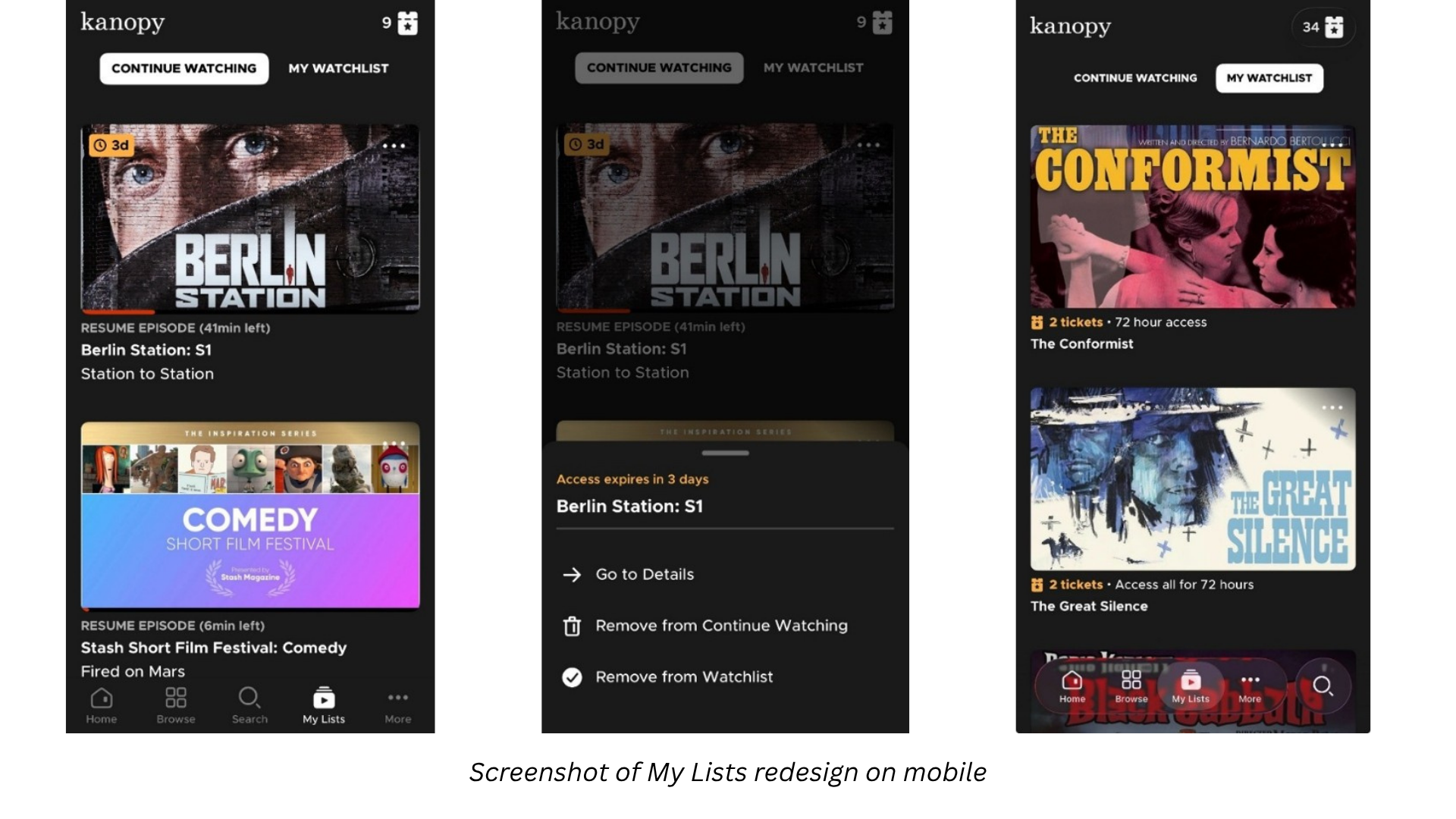
The Continue Watching and My Watchlist screens on the mobile Kanopy app have been updated with a cleaner, more functional layout. Title images are larger and more readable, and each entry now surfaces key information at a glance: watch progress, ticket cost, and access window.
Each title also includes an options menu, built with accessibility in mind, where patrons can check how much time they have left in their access window, add or remove titles from their lists, or navigate to the title’s detail page for more information. For patrons managing multiple titles at once, or those working within ticket limits and keeping a close eye on ticket costs and expiration windows, this update makes it easier to stay organized and make the most of their access.
Accessibility
The search filter and My Lists updates are part of Kanopy’s broader, ongoing commitment to accessibility. Patron populations at public libraries are diverse, and Kanopy’s accessibility work reflects that, whether that means clearer filter labeling, accessible UI components, or better support for assistive technologies.
As part of this work, we’ve updated our VPAT (Voluntary Product Accessibility Template) and Remediation Roadmap, which are available to library partners and reflect our current accessibility compliance status. These documents are a resource for libraries navigating ADA and Section 508 requirements, or for those fielding accessibility questions from patrons and administrators. If you’d like access to the updated documentation, reach out to your Kanopy contact.
If you have any questions on our updates, please reach out to your Account Manager. Find your Account Manager in the SUPPORT tab of Marketplace.