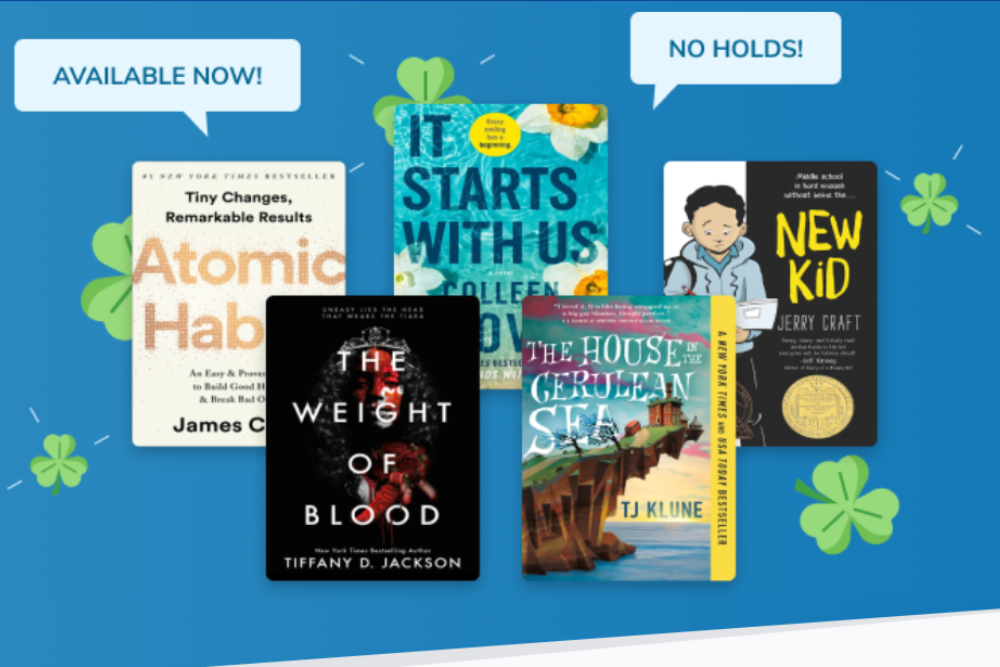
The Luck of the Book-ish: Using our Lucky Day feature to delight readers and maximize your content
If you love that chat with your Digital Content Librarian (and who doesn’t?!), you may have heard them mention Lucky Day. Lucky Day, however, goes by many names you may be familiar with in the physical library: Express Reads, Hot Picks, Ready Reads, etc. OverDrive’s Lucky Day feature disables holds and renewals for designated copies of your titles. This allows users to skip the wait list for titles and borrow them right away.
The goal of this blog post is to help you think about the best way to use Lucky Day with your patrons to keep them engaged with your digital collection and make sure the content you’ve purchased gets an appropriate amount of circulation.
To start off, you can find our Lucky Day tooling in the Curate area of Marketplace. Not seeing the Curate tab? Reach out to your OverDrive account team!
Here are some important aspects of Lucky Day
- You don’t need to purchase new titles in order to use Lucky Day! This tool is for using what you already have to maximize collection usage.
- You can set different lending policies for Lucky Day titles. This includes length of checkout period and number of Lucky Day titles an individual patron can check out at one time.
- Titles are eligible for Lucky Day if they are:
- Owned by your library. If you’re part of a consortium, you can only designate titles for Lucky Day that are owned by the account you’re signed in with. Advantage and consortium accounts can use Lucky Day!
- Owned in the One Copy/One User or Metered Access lending model. Cost Per Circ and Subscription titles can’t be designated for Lucky Day.
- Have at least two owned copies. All titles must have at least one non-Lucky Day copy to fulfill holds, so you can’t designate all of a title’s copies for Lucky Day.
- Patron Experience in Libby:
- Lucky Day titles in Libby are marked with a small clover icon and are described as “skip the line” titles. When the patron borrows a Lucky Day copy, they will get a messaging letting them know that there may be a shorter loan period on this title and other relevant details. They will be encouraged to remove their hold on the other copies of the title, but can choose to remain in the holds line if they wish, unless your Lucky Day lending period is the same length as your regular loan period.
- If a patron has a hold on a title that is placed into Lucky Day, they will not receive a push notification that their hold is available. However, if they go to their holds page in Libby, they will see that there is a copy available!
Now, adding a few copies of this week’s hottest titles sounds great, but there are already so many holds that it might be hard to justify removing a copy to make that holds line end up going just a bit slower. But if you do have some lower-cost bestsellers you can throw into your Lucky Day collection, you are going to have some extremely happy patrons! Below are some other ways you can use Lucky Day with items you’ve already purchased.
Many copies that you own in perpetuity in One Copy/One User (OC/OU)
- Remember that novel that was HUGE back in 2018? I bet you there are plenty of patrons who never got around to reading it, but it was on their list (prime example; myself and Where the Crawdads Sing). You have 20 copies of the OC/OU audiobook sitting around. These types of titles that were once popular and may zero or a small amount of holds are great for Lucky Day. You have them permanently in the collection, you might as well remind people they are there for their reading pleasure!
- A popular title that has OC/OU lending model and our OD MAX (100 concurrent checkouts) model might be a good one to add to Lucky Day. You can take care of the holds with the OD MAX copies and add one or two of the OC/OU copies to Lucky Day!
Metered Access (MA) by Time titles
- Do you have MA by Time titles expiring soon that you probably won’t repurchase? Throw them in Lucky Day to get some more checkouts from them without adding more holds before they expire!
- Maybe there’s a new installment of a series out, and the previous books in the series are popular but you have some copies to spare. This can work with both OC/OU and MA lending models, but this works very well for MA by time titles in the series that may be expiring sooner than later! For those patrons who want a re-read, imagine their excitement when one pops up as available to borrow!
Other Best Practices
Featuring Lucky Day titles:
- Once you set a Lucky Day title live, there’s technically nothing more you need to do in order for a patron to check it out.
- Patrons can see the available skip-the-line titles at your library by going to Search > skip the line (under “Catalog Filters”).
- You can Curate a list of Lucky Day titles similar to how you would curate any list to feature in Libby. You can also name it whatever you like! A lot of libraries who do this will match the name with the similar collection in their physical library.
- Our recommendation if you decide to curate a list is to create an automated list instead of a manually curated list (title-by-title). Once you call out these Lucky Day titles on your Libby Home Page, they will go like hotcakes! The automated list will grab in any new titles you add so that you don’t have to update both your Lucky Day collection and the list each time you add more content.
- Don’t worry if you curate a Lucky Day list and it vanishes from your Libby Home page. This happens when most titles are checked out and the “available” amount of titles goes below 10. Lists with under 10 titles don’t show up in Libby. Once your Lucky Day titles are returned, they will pop back into this list as available and the list will show up once more.
Check Lucky Day regularly
- As I mentioned, borrowed Lucky Day titles will be returned and put back into the Lucky Day collection for the next person unless you remove them, but more qualified titles pop up all the time! We recommend checking in with your Lucky Day collection either once a month or any time you purchase to evaluate new titles to add to the collection and to see how existing titles are circulating.
I hope this has you excited to dive in and try out Lucky Day in Marketplace! For a more in-depth explanation on the “how to” of adding titles and setting them live in your Lucky Day collection, please reference our amazing help article, watch this lovely training video, or reach out to your Digital Content Librarian!
 About the author: Maria earned her MLIS from The University of Pittsburgh, and also holds Music Performance degrees from Mount Union and Youngstown State University. Before joining OverDrive in 2018, Maria worked in both public and academic libraries. She enjoys a wide variety of books, but some of her favorite genres are romance, fantasy, and sci-fi. In her spare time, Maria plays cello, keeps up with Cleveland sports, and loves to sit anywhere with a patio with her husband and their dog, Ducky.