
14 Libby tips and tricks you may not know about
Updated February 2023
Our Libby app has been designed to ensure that readers of all technological skill levels can quickly and easily start reading or listening to digital books instantly. Whether you’re a regular user or a complete novice, Libby has been developed to be simple and easy. That doesn’t mean there aren’t lots of fun features to discover within the app, however.
Here are 14 Libby tips and tricks that will ensure you’ll become a power user in no time.
Let Libby notify you
Libby now uses push notifications to offer alerts about your books. Users can choose which notifications they’d like to receive from the Libby menu under Manage Notifications, including:
- When a hold becomes available
- When a loan is about to expire
- When a loan has expired
- And more
You can also set up Notify Me smart tags to be notified when new issues of OverDrive magazines are available! Each time you borrow (or return) a magazine, you’ll be prompted to create a Notify Me tag. Learn more here.
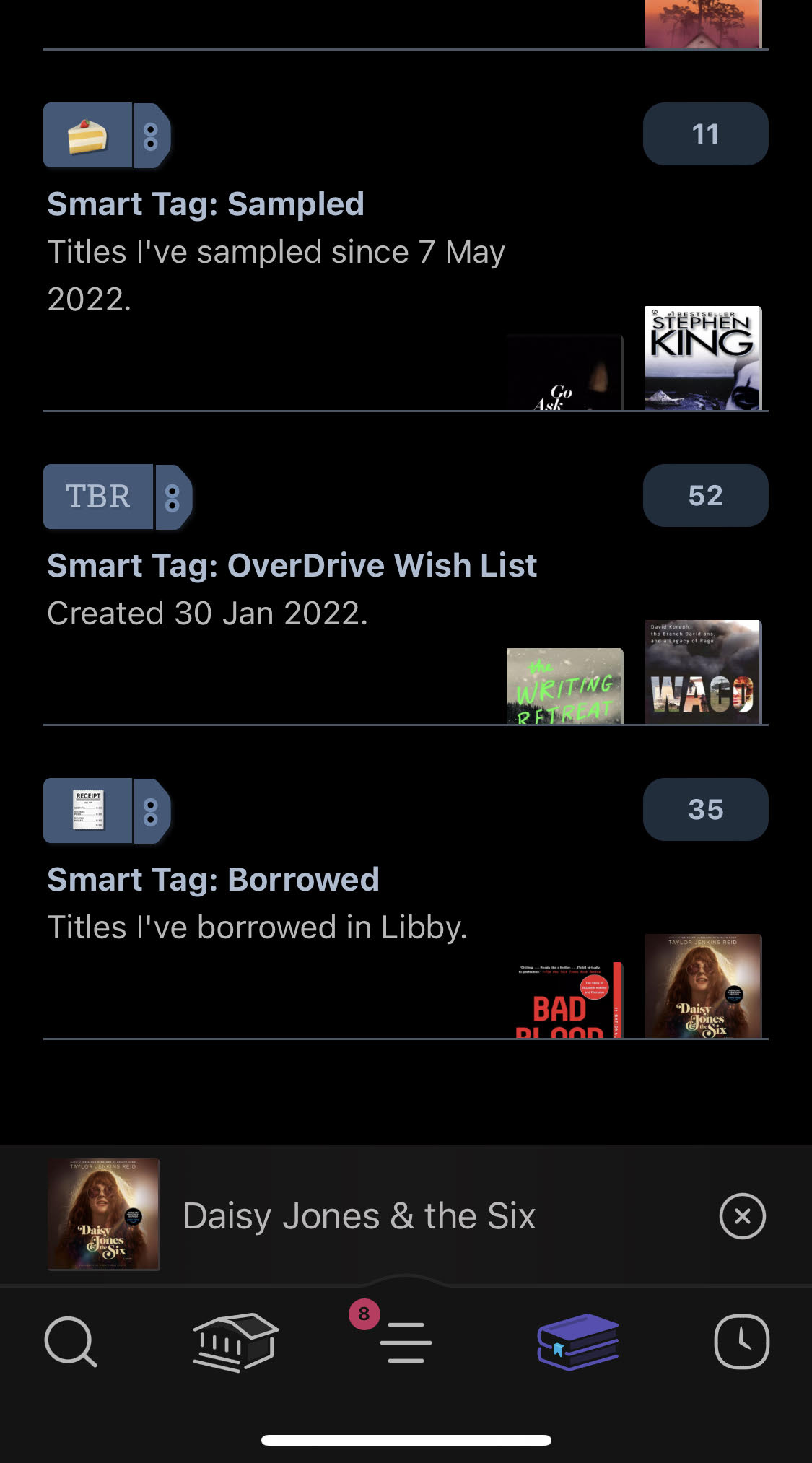 Tag your heart out
Tags now have a dedicated screen on the Shelf in the Libby app, making it easier to see and manage tags, including filtering tags, seeing how many titles are in a tag, title availability, and more! Check out this blog post for tag suggestions.
Sync your Wish List
If you haven’t yet made the switch to Libby because you’re concerned about your wish list on the OverDrive app, have no fear. Once you’ve signed into the Libby app, you’ll be promoted to sync your OverDrive wish list. Learn more about adding your OverDrive wish list to Libby here.
Customize your Libby app reading (and listening!) experience
If you like dark mode like I do, you’re in luck because Libby allows you to switch to a night mode or a sepia background. You can also change the appearance of the text by tapping the “A” icon when reading an ebook; this will provide you with several options, including the ability to change the font spacing, size, and style such as a dyslexic font.
To change the playback speed in an audiobook, tap the odometer icon at the top of your screen. Then, choose a preset or drag on the “Fine-tune” slider to set a custom speed (0.6–3x).
Have a title delivered later
Did you know that if a book you’ve been waiting for becomes available at an inconvenient time, you can request to have the title delivered later and still maintain your place in line? Now, when a hold becomes available you can:
- Borrow the title within the 3-day pickup period
- Cancel the hold
- Choose the “Deliver Later” option
If you take no action, the hold will automatically be suspended for 7 days and the book will be passed on to the next person on the wait list. After the 7-day suspension period, you will have another chance to borrow the book when the next copy becomes available. If no action is taken a second time, the hold will be cancelled automatically.
Share what you’re reading
Libby now lets you share what you’re reading with your friends using the Share button found in a title’s Reading Journey and details screen. A shared title page shows the book’s summary, basic details, and nearby libraries that offer the title through Libby. This new option encourages users to socialize their favorite reads with family, friends, and followers while spreading awareness of your library’s digital collection.
Listen to audiobooks anywhere
Speaking of listening to audiobooks, the Libby app is compatible with services like Apple CarPlay, Android Auto, and Sonos sound systems. This means you can take your audiobooks anywhere, conveniently, even if it’s just the other room or your kitchen.
Sample any book in your library’s collection
Even if you don’t (yet) have a library card, you can tap an ebook or audiobook in the collection you are browsing and preview up to ten percent of the title. Even if all the copies of the title are currently borrowed, you can still access the sample to help decide if you want to borrow it. You can also use samples to start a book you’ve placed a hold on while you wait for your copy to become available.
Find a whole series
Looking for a specific series or curious what number the book you’re looking at is in its particular series? You can use the search bar to find titles in a series. Titles are marked as “[number] in series“ in lists and search results. A book’s place in a series is listed on its details screen. You can also see the other books in the series and the order to read them in.
Sorting and filtering your searches
To sort or filter a specific list or search results, you can:
- Tap [number] books, [number] audiobooks, or [number] magazines at the top of a list to only show titles in that format.
- Tap subgenre links (like History or Cooking) at the top of a list.
- Tap Refine, then:
- Tap Format, Language, Audience, Compatibility, or Availability to add filters.
- Tap Sort By to choose another sort option.
- Tap Search Within Results and enter a term to search with.
You can also set list preferences to automatically sort and filter all lists.
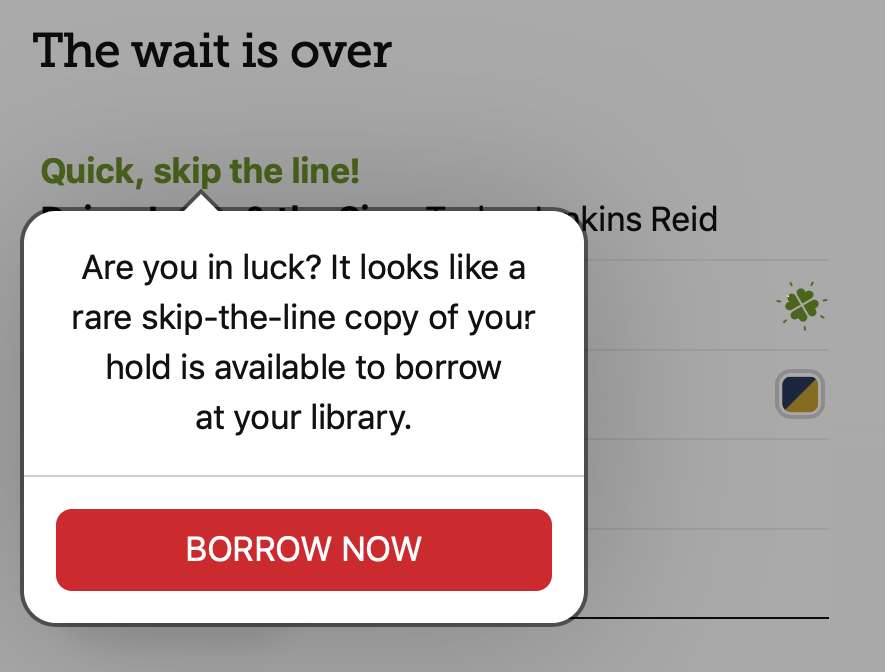 Skip the line with Lucky Day titles
Have you ever noticed a shamrock next to a title in the Libby app and wondered what it was? These are designated copies of popular titles that your library has made available without wait lists or holds. This fast-circulating titles don’t stay available long, so better be quick and check it out!
Return a book early
If you finish a book early, you can return it before its due date using the steps below:
- Go to Shelf > Loans.
- Tap Manage Loan.
- If you’ve borrowed the book from multiple libraries, select the due date for the copy you’d like to return.
- Tap Return Early, then Return.
Search across multiple library cards
One of my favorite Libby tips and tricks are the updates we’ve made to our multi-library search! Now, if you have multiple library cards added to your Libby app it’s easier than ever to browse and borrow titles. If a book you’re interested in is available to borrow from your actively selected library you’ll see the option to Borrow from that library.
If there is a wait list on the title at their active library:
- They’ll see the option to Borrow from one of their other saved libraries (if it’s available from one of them).
- They’ll see the option to place a hold from the library with the shortest wait list. This may be their active library or one of their other saved libraries.
- After borrowing or placing a hold, the user’s active library won’t change.
Change your language
Libby automatically uses the language your device or web browser is set to, as long as the language is supported in the app.
If you’d like to use the Libby app in a different language than your device, tap the Libby face icon and then > Get Some Help > Choose Your Language (under “Common Solutions”).